Copy only what changes
Copy new files and content that needs updating. Verify each copy before finalizing the destination file.

macOS
Simple, safe file sync backup
Sync backup important files to removable storage or between folders on your computer. Review the changes, then confirm the run.
Explore the features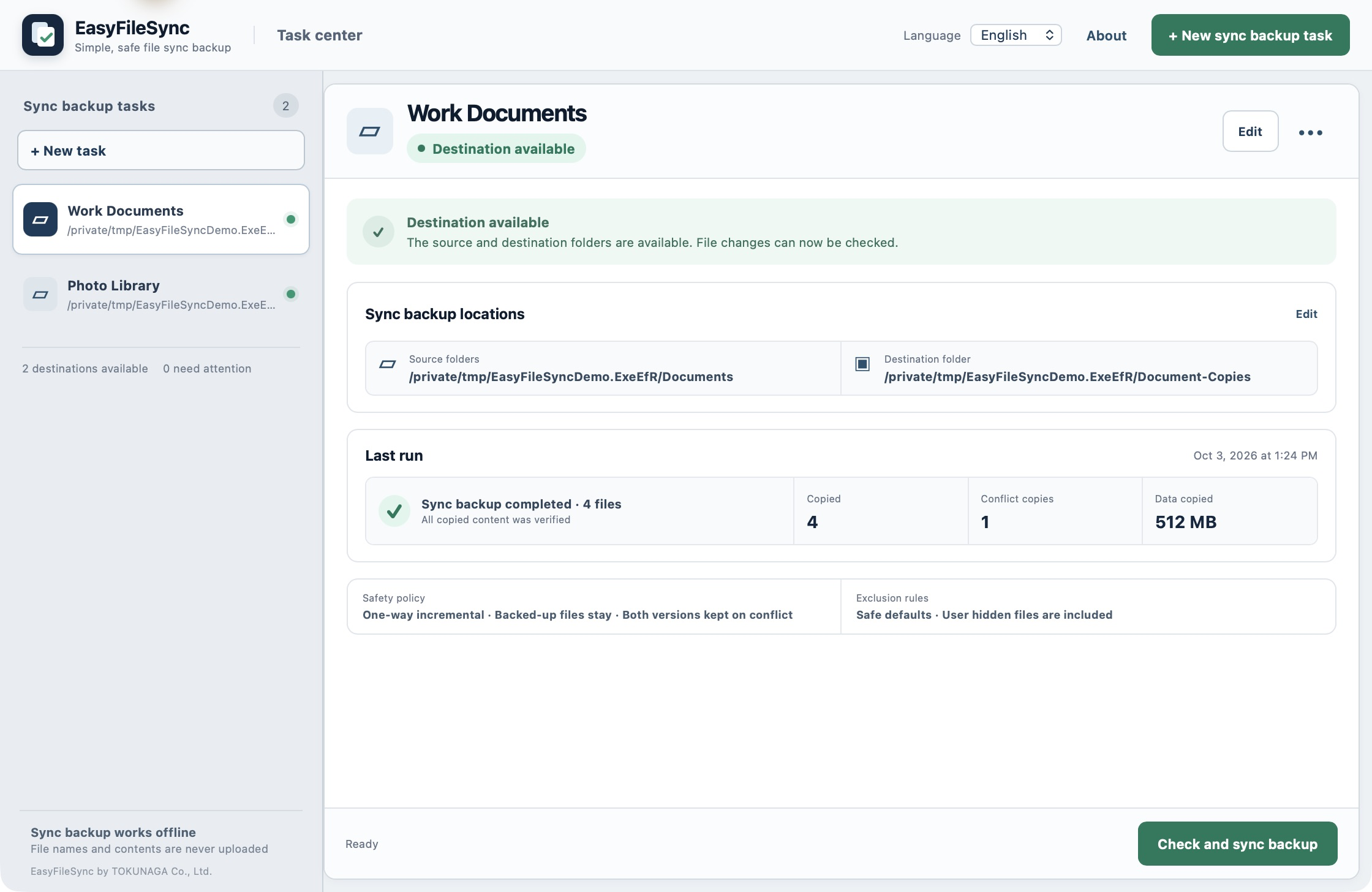
CORE VALUES
Copy new files and content that needs updating. Verify each copy before finalizing the destination file.
Removing a source file does not automatically delete the copy already saved at the destination.
Keep an externally edited destination file and save the source content as a separate copy.
Keep familiar folders and ordinary file formats that remain accessible without proprietary software.
Sync backup requires no account or internet connection. File names, paths, and contents are not uploaded.
PRODUCT SCREENS
PREVIEW
Review new, modified, conflicting, and source-deleted items. The preview does not change files; sync backup starts only after confirmation.
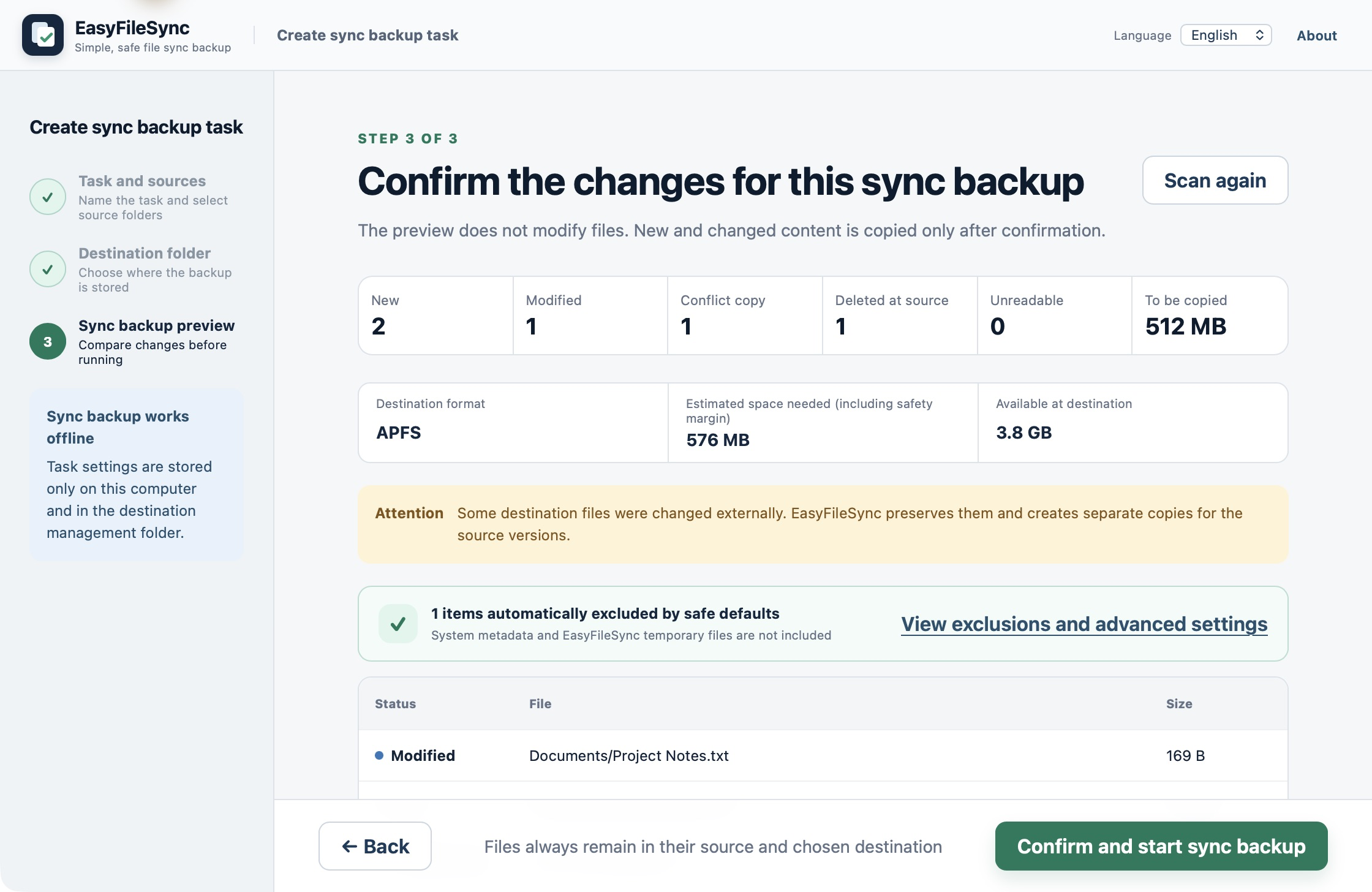
EXCLUSIONS
Known system metadata and app temporary files are excluded by default. Adjust name, extension, or hidden-file rules; user hidden files are included by default.
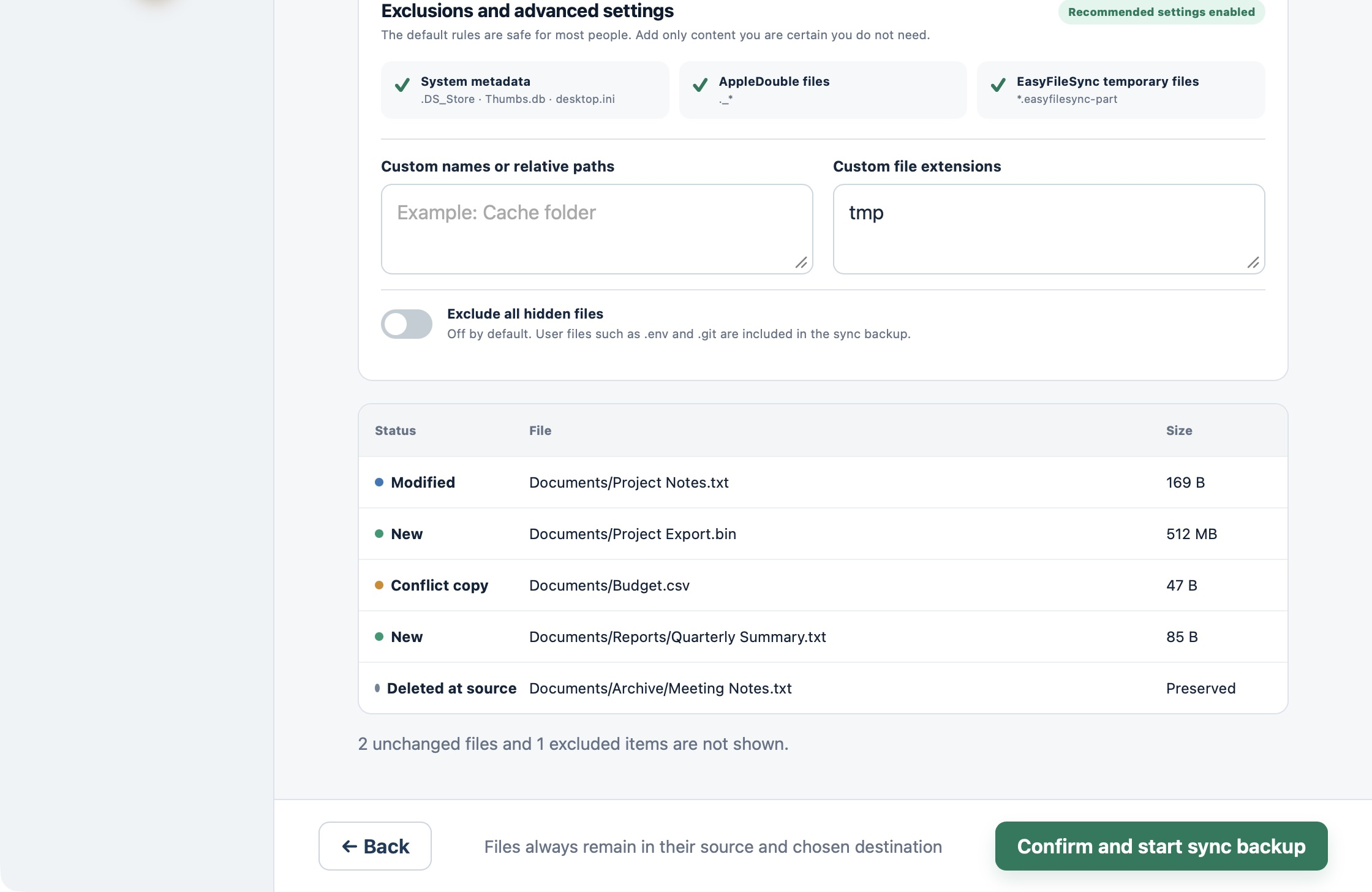
PAUSED
Pause during a run and resume when ready. You can also review the current state and cancel safely.
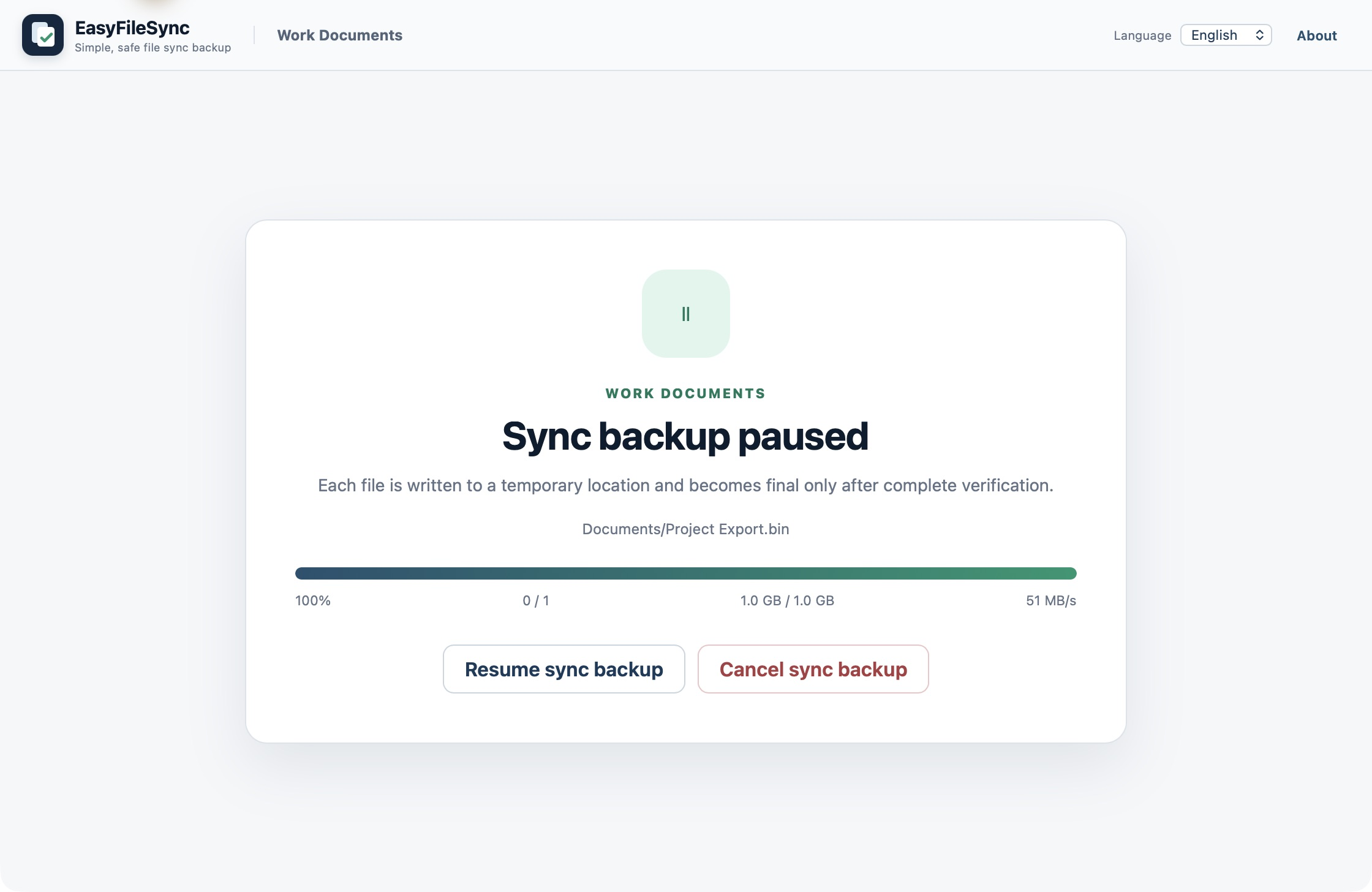
REPORT
Reports show copied, skipped, conflicting, and failed items. If an issue occurs, review the data status and suggested next steps.
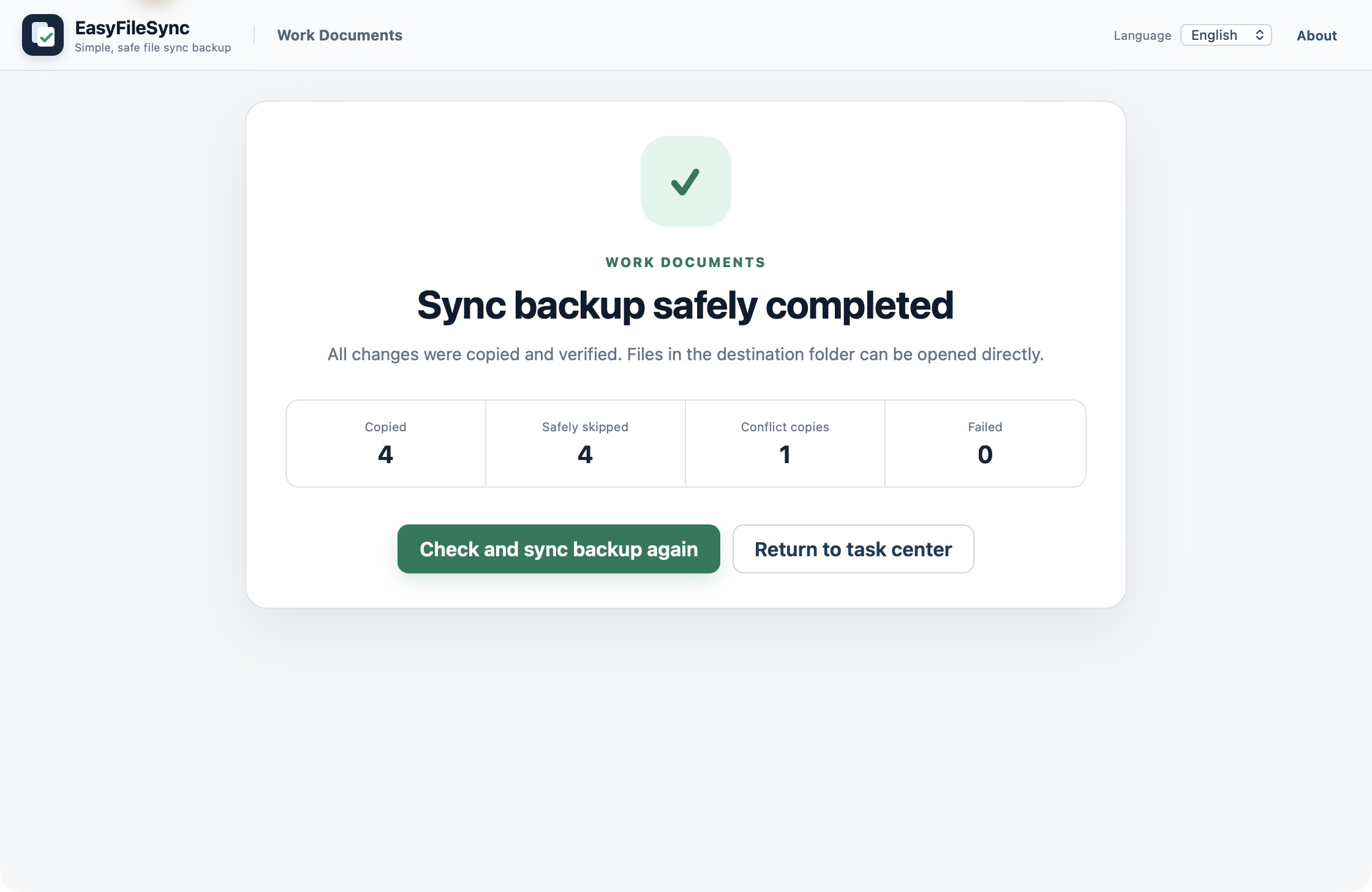
Screens show version 0.1.0 with local destination folders. The paused screen comes from a separate run. Sample capacity and speed figures are not performance guarantees.
HOW IT WORKS
Choose the local folders containing the documents or projects you want to back up.
Select a folder on your computer or on connected removable storage.
Check file changes and required free space, then manually start sync backup.
EVERYDAY USE
Manually save work documents to removable storage at regular intervals, keeping a copy you can open when needed.
Create a task for each project, keep another local copy, and review recent results in one place.
Keep photos and personal records in familiar folders. The files remain accessible without EasyFileSync.
Two folders on the same physical disk do not protect against failure of that disk. Keep important data on separate removable storage as well, and check your copies regularly.
PRODUCT INFORMATION
FAQ
No. Files already backed up remain at the destination; source deletions are not mirrored.
The externally edited destination file is preserved, and the source content is saved as a separate copy. Conflicts are shown in the preview and report.
No. The destination contains ordinary files and folders that you can open directly with Finder or your usual apps.
Sync backup itself works offline and does not upload file names, paths, or contents. This does not mean the entire app always stays offline; features such as software updates may require a connection.
The current product provides manual, one-way incremental sync backup. It does not offer automatic scheduling, bidirectional sync, version history, or encryption.
SUPPORT
For product questions, contact TOKUNAGA Co., Ltd. through the existing contact page or by email.